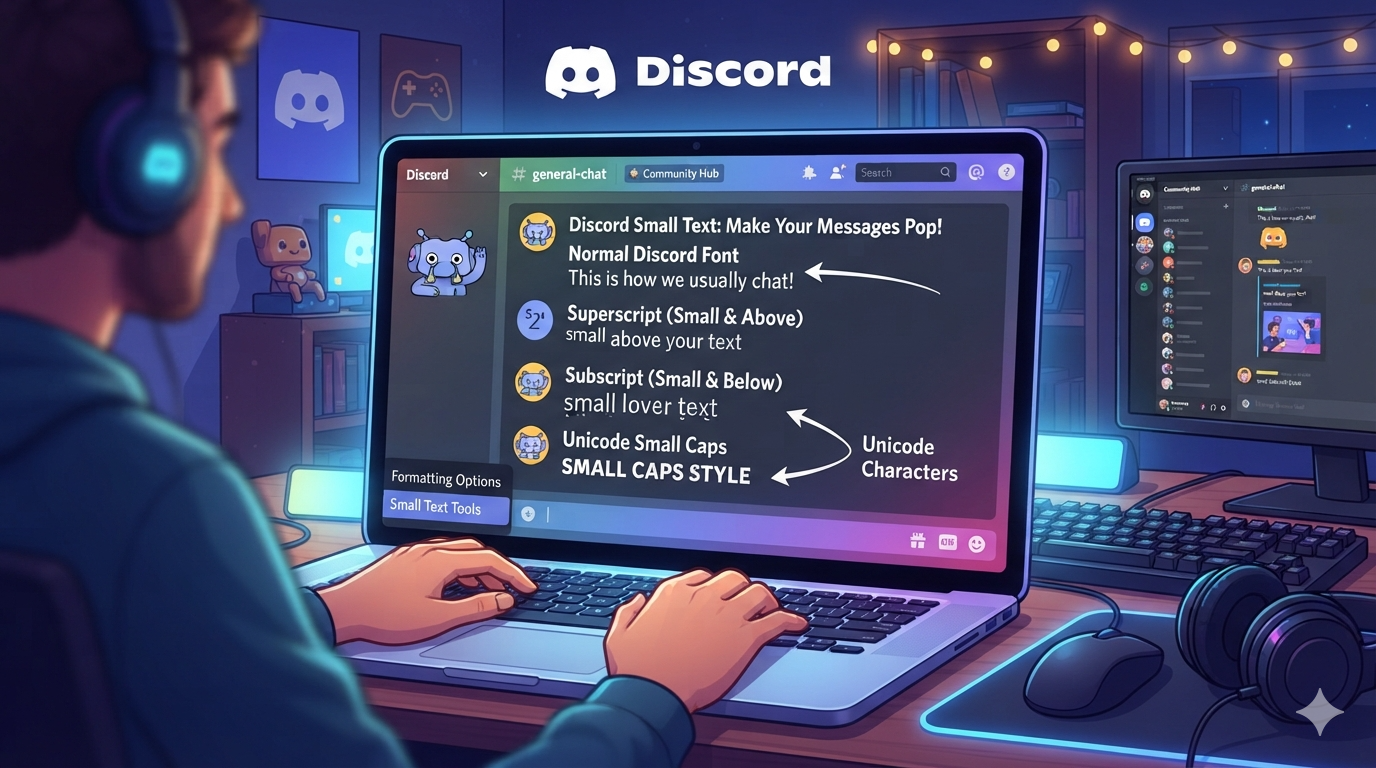
Discord is more than a chat app. People use it to build communities, share ideas, play games, and express their personality. Text style can make your messages more fun and easier to notice. One popular style is discord small text. It lets you create tiny-looking letters for messages, profiles, bios, and other creative uses. You may have seen users post small letters above normal text. Some users also use special Unicode characters to create a unique appearance. The good news is that you do not need advanced skills. You can create similar effects with simple tools and Unicode text. This guide explains how small text works on Discord. It also covers superscript, subscript, Unicode symbols, formatting limits, and useful examples. By the end, you will know which method works best for your needs.
What Is Discord Small Text?
Discord small text usually refers to text that appears smaller than standard Discord messages. Discord does not provide a simple button that turns every letter into a tiny font. Instead, users often rely on Unicode characters that look smaller than normal letters. These characters are different from standard English letters. They are special symbols supported by many modern devices and applications. Another option is Discord’s built-in formatting system. Markdown can create bold, italic, underlined, and other styles. However, Markdown does not directly shrink your font size. This difference is important because many websites call Unicode characters “small fonts.” They are actually special text characters. You can copy them into Discord like ordinary text. The final appearance depends on the device and font being used. Therefore, some characters may look slightly different across phones, computers, and browsers.
How Does Small Text Work on Discord?
Creating discord small text often involves Unicode rather than changing Discord’s actual font size. Unicode is a global system that assigns codes to characters, symbols, and writing systems. Some Unicode characters have raised, lowered, or smaller visual forms. For example, superscript characters can create a tiny raised appearance. You can copy these characters and paste them into a Discord message. Discord usually treats them as normal text. This makes the method simple for beginners. However, Unicode does not contain a complete tiny version of every letter. Some generators use visually similar characters to create the effect. This means results can vary between letters. You should always test your text before using it publicly. If a character does not display correctly, replace it with another Unicode character or use standard Discord formatting instead.
Ways to Create Discord Small Text
There are several ways to create discord small text. The easiest option is a Unicode text generator. You type your normal sentence into the generator. It then converts supported letters into special characters. You can copy the result and paste it into Discord. Another method is manually using superscript and subscript characters. This works well for short words or symbols. You can also combine small Unicode characters with Discord Markdown. For example, you might use bold formatting around a small Unicode phrase. This creates a more noticeable design. Keep in mind that Markdown changes text style, not its actual font size. Unicode characters are responsible for the tiny appearance. For the best result, keep small text short. Long sections can become difficult to read. A good design should look different while remaining easy for people to understand.
Using Superscript for Tiny Text
Superscript is one of the most common ways to create discord small text. Superscript characters appear slightly above the normal writing line. You may already know them from mathematics. For example, numbers such as ² and ³ are superscript characters. Unicode also provides several letters and symbols with superscript forms. You can copy these characters into Discord messages. They can work nicely for short labels, jokes, usernames, and decorative text. However, there is an important limitation. Unicode does not provide a perfect superscript version for every English letter. Some characters may be missing or use different visual designs. Because of this, a generator may produce mixed characters. Always check the final result before posting it. Superscript works best when used as an accent rather than for entire paragraphs.
Using Subscript Characters
Subscript is another option for creating discord small text. Subscript characters appear below the normal writing line. They are commonly used in scientific formulas. For example, H₂O uses a subscript number. Discord can display many Unicode subscript numbers and some letters. You can copy these characters directly into your message. This creates a lowered text effect without changing Discord’s settings. Like superscript, subscript has limitations. Unicode does not offer a complete matching alphabet for every letter. Some generators may therefore use alternative characters. The result can look uneven if you create long sentences. Subscript is best for short words, numbers, labels, and decorative elements. You can also combine it with regular text. This creates contrast without making your message difficult to read. Test the text on your own device before using it in an important server.
Can You Change Discord’s Actual Font Size?
Many people search for discord small text because they want to make Discord’s actual font smaller. This is different from using Unicode characters. Discord has its own interface settings and accessibility options. These settings can affect how large the application appears on your screen. They do not turn individual words into tiny Unicode text. If your goal is personal readability, changing Discord’s interface settings may be better. If your goal is decoration, Unicode characters are more useful. This distinction prevents confusion when choosing a method. A Unicode generator changes the characters you send. Display settings change how the application appears to you. Other users will not necessarily see your interface changes. They will see the text you send through Discord. Therefore, choose your method based on whether you want decorative text or a smaller overall interface.
Discord Small Text for Bios and Profiles
A short discord small text style can make a profile bio look unique. Many users enjoy adding decorative phrases to their profiles. You could use tiny text for a short status, nickname idea, or personal tagline. However, readability should remain your main goal. A profile filled with unusual Unicode characters can become difficult to understand. Some characters may also appear differently on different operating systems. A better approach is to combine normal text with a small decorative phrase. For example, you might keep your main message normal and place a short Unicode phrase underneath it. This creates visual variety without making your profile confusing. Before saving your bio, check how it looks on both desktop and mobile. If possible, ask a friend to view it too. This simple test can reveal display problems that you may not notice on your own device.
Discord Small Text in Messages
You can also use discord small text inside ordinary Discord messages. Small Unicode text works well for short jokes, reactions, labels, and side comments. Some users place tiny text beneath a normal sentence. This can create a fun visual effect. For example, a normal statement could be followed by a small decorative phrase. You should avoid using tiny characters for important information. Small text can be harder to read, especially on mobile screens. It may also cause problems for users who rely on accessibility tools. Clear communication should always come first. Use decorative text when it adds personality, not when it hides important information. If your server has formatting rules, follow them before posting unusual characters. Some communities prefer plain text because it is easier for everyone to read.
Unicode Characters and Discord
Unicode is the main reason discord small text is possible. It provides a standard system for representing characters across digital platforms. Unicode includes letters, numbers, mathematical symbols, accents, and many other characters. Discord can display many of these characters. However, Discord does not control every Unicode character’s appearance. Your operating system and selected font also play a role. This explains why the same text may look different on two devices. Some characters can even appear as empty boxes when a font does not support them. This is called a missing glyph. It is one reason you should avoid extremely unusual Unicode combinations. Common characters are usually safer. When choosing decorative text, test it across devices when possible. Simple Unicode usually provides the best balance between style, compatibility, and readability.
Discord Small Text Generators
A text generator can save time when creating discord small text. These tools usually provide several styles from one normal phrase. You enter your text and select a style that you like. The generator then creates Unicode characters that you can copy. Some generators offer superscript, subscript, miniature letters, bubble text, and other designs. Always remember that these are usually Unicode transformations. They are not changing Discord’s actual font. You should also be careful with unfamiliar characters. Some generators produce characters that look almost identical to normal letters. These can sometimes create confusing or misleading text. For normal decorative use, choose simple styles. Avoid using unusual characters to imitate another person’s username or identity. A clean generator result is usually easier to read and safer to use across different devices.
Can Small Text Be Used in Discord Usernames?
Whether discord small text works in a username depends on Discord’s current username and display-name rules. Discord treats usernames and display names differently. Some special characters may be accepted in display names but not in usernames. Platform rules can also change over time. Therefore, a character that works today may not be accepted everywhere. If you want a unique display name, Unicode can offer many creative options. But do not overdo it. Extremely decorative names can make searching and recognition harder. A simple style is often more effective. You should also avoid characters that make your name look like another person’s name. This can confuse other members and moderators. If Discord rejects a character, use a supported alternative instead. The safest approach is to check Discord’s current account and naming rules before making major profile changes.
Small Text vs Discord Markdown
It is useful to understand the difference between discord small text and Markdown formatting. Discord Markdown can create effects such as bold, italic, underline, and strikethrough. These features use simple symbols around your text. For example, adding certain characters around a word can change its appearance. Markdown does not normally create a true smaller font size. Small-looking text generally comes from Unicode characters. You can combine both methods for creative designs. For instance, a Unicode phrase could be surrounded by Markdown emphasis. However, too many effects can make your message look messy. The best formatting usually has a clear purpose. Use bold for important points. Use italics for emphasis. Use Unicode styles for decoration. This approach keeps your messages attractive while preserving good readability. Understanding the difference also helps you choose the right tool for each situation.
Common Problems With Tiny Discord Text
Sometimes discord small text does not display correctly. One common problem is unsupported Unicode characters. Your device may show a blank square instead of the intended symbol. Another problem is inconsistent appearance. A character may look tiny on one device but normal-sized on another. Some characters may also look confusing when placed together. Screen readers and accessibility tools may interpret unusual Unicode differently. This can make decorative text less useful for some people. To reduce these problems, use common Unicode characters. Keep decorative text short. Test your message before posting it widely. Avoid using tiny text for instructions, rules, announcements, or important information. If compatibility matters, standard Discord Markdown is often a safer choice. Good formatting should improve communication rather than create extra work for readers.
Best Practices for Using Small Text
The best discord small text designs are simple and purposeful. Start with a short phrase rather than an entire paragraph. Choose characters that remain readable on different screens. Mix decorative text with normal writing when possible. Avoid filling your profile with unusual symbols. This can make it difficult for people to read or search your content. You should also consider accessibility. Some users may have trouble reading very small-looking characters. Important information should always use normal, clear text. Another useful tip is to preview your text before sending it. Check both desktop and mobile if you can. If the result looks strange, choose another style. The goal is not to use the most complicated font. The goal is to create text that looks interesting while still communicating your message. Simple formatting usually provides the strongest result.
Examples of Small Text Styles
You can experiment with several Unicode-inspired styles when creating discord small text. Superscript creates a raised appearance. Subscript creates a lowered appearance. Small-capital styles can make letters look compact. Other Unicode styles can create circled, squared, or decorative characters. These styles work differently because Unicode contains many character types. A simple example could be a normal phrase followed by a tiny decorative phrase. You can also use small text as a visual label before a regular sentence. This works especially well in casual communities. However, do not rely on every generator to produce identical results. Different generators may use different Unicode characters. The same phrase can therefore look slightly different. If you want a consistent profile style, choose one simple format and use it repeatedly. Consistency makes your profile look cleaner and more professional.
Is Discord Small Text Safe to Use?
In most normal situations, discord small text is simply decorative text. Using Unicode characters does not automatically create a security problem. Still, you should be careful when copying text from unknown websites. Avoid downloading unfamiliar software just to generate special characters. A browser-based text converter is usually enough for simple formatting. You should also be cautious with confusing Unicode characters. Some symbols can look similar to ordinary letters. This technique can make links, names, or messages difficult to recognize. Never use deceptive characters to impersonate another person or hide important information. If you receive suspicious text, check the actual characters and destination before clicking anything. For everyday Discord use, simple Unicode decoration is generally straightforward. Good digital habits matter more than the text style itself.
Frequently Asked Questions
1. What is Discord small text?
Discord small text is text that appears smaller or more compact than normal writing. It is usually created with Unicode characters. Discord does not simply reduce the font size of individual messages. Instead, users copy special characters that have a smaller visual appearance. These characters can be used in messages, profiles, bios, and decorative names. Results can vary depending on the device and font. Some characters may not display correctly everywhere. For the best experience, keep small text short and test it before sharing.
2. How can I make tiny text on Discord?
You can create tiny-looking text by using Unicode characters. A Unicode text generator can convert regular words into different decorative styles. Copy the result and paste it into Discord. You can also manually use available superscript or subscript characters. Remember that not every English letter has a perfect tiny Unicode version. Some generators therefore use similar-looking characters. Test the result before using it in a profile or important message.
3. Does Discord have a small font button?
Discord does not normally provide a button that changes the font size of individual messages into tiny text. Its built-in formatting focuses on styles such as bold, italics, underline, and strikethrough. If you want a smaller-looking phrase, Unicode characters are commonly used. If you want the entire Discord interface to appear smaller, check your application or device display settings instead.
4. Can I use small Unicode text in a Discord bio?
Yes, supported Unicode characters can often be used in Discord profile areas. However, supported characters can differ between usernames, display names, bios, and other fields. Some characters may also display differently across devices. Keep your bio simple and readable. Using a small decorative phrase alongside normal text often creates a cleaner result than making the entire bio tiny.
5. Why does my small text show as boxes?
A box usually means your device or font cannot display that Unicode character. Unicode contains a very large number of symbols. Not every font supports every character. Try replacing unsupported characters with more common ones. You can also test your text on another device. If compatibility is important, use ordinary letters and Discord Markdown instead. This reduces the chance of display problems.
6. Is Unicode small text the same as changing the Discord font?
No. Unicode small text changes the actual characters you send. Changing Discord’s interface settings changes how the application appears on your screen. Other users will not automatically see your interface settings. Unicode text, however, is part of your message. This is why other people may see the small-looking characters after you send them.
Conclusion
Discord small text is a simple way to add personality to your online conversations. You can create the effect with Unicode characters, superscript, subscript, and text generators. Discord Markdown can also be combined with Unicode for additional emphasis. The most important rule is to keep your text readable. Not every Unicode character works perfectly on every device. Some can appear as boxes or look different across platforms. For profiles and casual messages, small decorative text can be a fun choice. For rules, announcements, and important information, normal text is usually better. Try a few styles and see which one fits your Discord profile or community. A clean design often looks better than a complicated one. Use special text to support your message, not replace it.