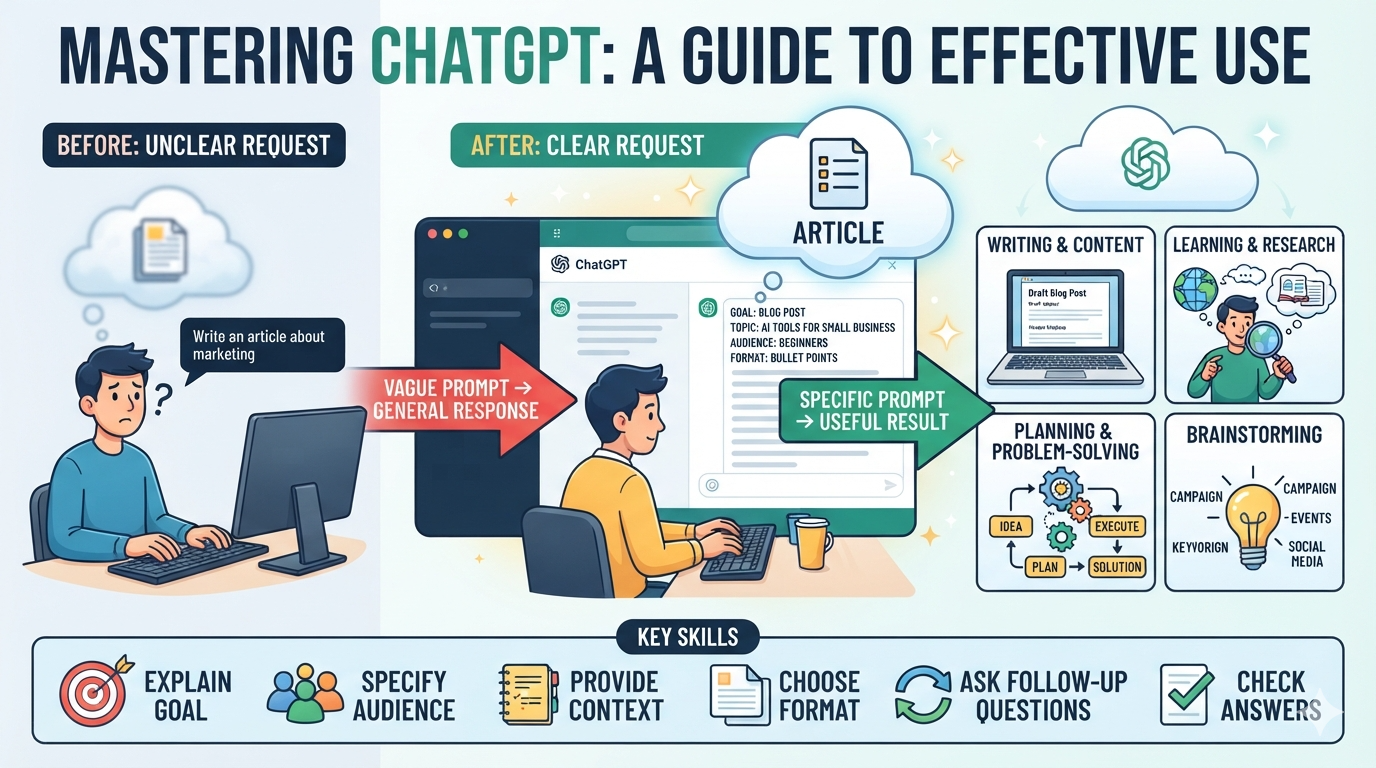
Learning how to use ChatGPT effectively can save time and make many daily tasks easier. ChatGPT can help you write, learn, plan, research, brainstorm, and solve problems. However, the quality of its answer often depends on the information you provide. A short and unclear request may produce a general response. A clear request can produce a much more useful result. You do not need advanced technical skills to get better answers. You only need to explain your goal, audience, context, and preferred format. This guide explains simple ways to improve your ChatGPT experience. You will learn how to create better prompts, check answers, ask follow-up questions, and use AI responsibly. You will also see practical examples for work, school, content creation, and everyday tasks. By the end, you should feel more confident using ChatGPT as a helpful assistant.
What Does It Mean to Use ChatGPT Effectively?
Understanding how to use ChatGPT effectively starts with knowing what the tool can and cannot do. ChatGPT works best when you give it a clear task. You can ask it to explain difficult ideas, create outlines, improve writing, generate ideas, or organize information. You can also tell it how you want the answer presented. For example, you can request a table, checklist, email, summary, or step-by-step guide. Good results usually come from clear communication rather than complicated commands. Think of ChatGPT as an assistant that needs useful instructions. It does not automatically know your exact goal. Providing context helps it understand what you need. You should also review important information before using it. AI can make mistakes or misunderstand a request. Effective use combines good prompts with human judgment. This approach can improve productivity while keeping you in control.
Start With a Clear Goal
One of the easiest ways to learn how to use ChatGPT effectively is to define your goal first. Before typing a prompt, ask yourself what result you actually need. Do you want an explanation, an article, an email, a list, or an action plan? A clear goal helps ChatGPT create a more focused response. For example, instead of saying, “Tell me about SEO,” explain your purpose. You could ask for a beginner-friendly SEO checklist for a small website. You can also mention your audience and preferred writing style. These details give ChatGPT useful direction. The same method works for studying, business, marketing, coding, and personal planning. If your request has several parts, list them separately. This makes your instructions easier to follow. A useful prompt often includes the task, context, format, audience, and limitations. You do not need to include every detail. Give enough information to make your desired result clear.
Write Better ChatGPT Prompts
Good prompts are at the heart of how to use ChatGPT effectively. A prompt is simply the instruction or question you give the AI. Strong prompts usually contain specific details. Tell ChatGPT what you want, who the content is for, and how you want the answer structured. You can also provide an example of the style you prefer. For instance, instead of saying, “Write a blog,” try, “Write a beginner-friendly 1,000-word blog about home gardening.” Then add your target audience, tone, headings, and keyword requirements. You can ask ChatGPT to use short sentences and simple vocabulary. You can also request tables, examples, FAQs, or bullet points. Avoid adding unnecessary instructions that conflict with each other. If the first answer is not right, improve your prompt instead of starting over. Small changes can make a major difference. Over time, you will learn which instructions produce the best results for your work.
Give ChatGPT Enough Context
Context is another important part of how to use ChatGPT effectively. ChatGPT can produce better answers when it understands your situation. Imagine asking someone for business advice without explaining your business. Their answer would probably be too general. The same idea applies to AI. Tell ChatGPT important details about your task. For example, mention your industry, audience, experience level, goal, or available resources. If you are editing an email, provide the original message and explain the relationship with the recipient. If you are creating content, share the topic, target audience, keyword, and desired tone. Context does not mean writing a huge prompt every time. Only include details that can change the answer. You can also provide examples of what you like or dislike. This gives the model a clearer target. Better context often leads to more relevant and practical responses.
Use Follow-Up Questions
Another useful technique for how to use ChatGPT effectively is continuing the conversation. You do not always need to create a perfect prompt on your first attempt. Start with your main request, then review the answer. If something is missing, ask ChatGPT to improve that specific part. You might say, “Make this simpler,” “Add three examples,” or “Explain the second point.” You can also ask it to change the format. For example, turn a long explanation into a checklist or table. Follow-up questions are useful because they let you refine the result step by step. You can also ask ChatGPT to identify weaknesses in its previous response. For example, ask, “What important points did we miss?” This can reveal useful areas for improvement. Think of the conversation as a working session. You provide direction, review the output, and make adjustments. This method is often easier than trying to write one massive prompt.
Ask ChatGPT to Explain Difficult Topics
Many people discover how to use ChatGPT effectively through learning. ChatGPT can explain difficult topics using simpler language. You can ask for an explanation based on your current knowledge level. For example, a beginner might ask for a simple explanation of machine learning. A student can then request an analogy or real-world example. You can also ask ChatGPT to explain the same idea in different ways. Try asking for a short explanation first. Then request a deeper explanation if needed. You can create a learning path by asking for basic concepts before advanced ones. Quizzes can also make learning more interactive. Ask ChatGPT to create questions without showing the answers immediately. Then provide your answers and request feedback. This approach can support learning across many subjects. However, important academic or professional information should still be checked against trusted sources. AI can explain concepts well, but it should not replace careful verification.
Use ChatGPT for Writing and Editing
Understanding how to use ChatGPT effectively can make writing tasks much easier. You can use it to brainstorm topics, create outlines, improve clarity, and check grammar. It can also help you rewrite text for different audiences. For example, you can provide a complicated paragraph and request simpler language. You can ask for a professional, friendly, persuasive, or casual tone. ChatGPT can also suggest headlines, introductions, conclusions, FAQs, and content ideas. For SEO writing, you can provide your main keyword and supporting terms. Ask for natural placement instead of repeated keyword use. You can also request a content outline before writing the full article. This gives you a chance to check the structure first. For important writing, always review the final version yourself. Your personal experience and judgment can make the content more authentic. AI should support your writing process rather than remove your own voice completely.
Use ChatGPT for Work and Productivity
Learning how to use ChatGPT effectively can also improve everyday productivity. You can use it to organize tasks, create meeting agendas, draft emails, summarize information, and develop project plans. For example, give ChatGPT a list of unfinished tasks. Ask it to organize them by urgency and effort. You can also ask for a simple weekly plan. If you have a long email, ChatGPT can help identify the main points. You can then ask for a short reply based on those points. Business owners can use ChatGPT for brainstorming marketing ideas or customer questions. Employees can use it to prepare presentations or improve internal communication. The key is to provide enough information while protecting sensitive data. Do not share confidential information unless you understand the relevant privacy and security implications. Always review important work before sending or publishing it. Used thoughtfully, AI can reduce repetitive work and leave more time for tasks requiring human judgment.
Use ChatGPT for Brainstorming
Brainstorming is another powerful area when learning how to use ChatGPT effectively. Sometimes the hardest part of a project is finding the first few ideas. ChatGPT can help you generate different possibilities quickly. You can ask for blog topics, business ideas, campaign concepts, video topics, product names, or solutions to a problem. For better results, provide your goal and limitations. For example, ask for ten content ideas aimed at beginner website owners. You can then ask ChatGPT to rank the ideas based on usefulness. You can also request unusual or creative alternatives. This helps you avoid choosing the first obvious idea. However, not every generated idea will be good. Treat AI suggestions as starting points rather than final decisions. Combine useful suggestions with your own knowledge and experience. You can also ask ChatGPT to challenge your preferred idea. This creates a useful discussion instead of simple agreement. Good brainstorming should expand your options before you narrow them down.
Use Tables and Structured Formats
Knowing how to use ChatGPT effectively also means understanding how to control the output format. You can ask ChatGPT to present information as a table, checklist, numbered list, or comparison. Structured formats make complex information easier to scan. Tables work especially well when comparing several options. Checklists are useful for processes and routine tasks. Numbered steps are better for instructions that must happen in order. You can also request specific columns in a table. For example, a marketing table could include “Task,” “Purpose,” “Difficulty,” and “Priority.” If the first format is not useful, ask ChatGPT to restructure it. This can save time compared with manually organizing the information. Clear formatting is especially helpful for business documents and content planning. Remember that structure does not guarantee accuracy. Always check important facts independently. The best output combines useful information, clear organization, and human review.
Verify Important Information
A critical part of how to use ChatGPT effectively is knowing when to verify information. AI can sometimes provide incorrect, outdated, incomplete, or misunderstood information. This matters more when the topic involves money, health, law, security, or important business decisions. Treat ChatGPT as a helpful starting point rather than an automatic authority. Check important claims against reliable sources. Look for official documentation, trusted organizations, primary sources, or qualified professionals. You should also question answers that sound overly confident but provide little evidence. Ask ChatGPT to explain its reasoning or identify areas of uncertainty. However, even a confident explanation should not be treated as proof. Verification becomes especially important when information can change quickly. Laws, prices, product features, and policies may change over time. Good AI use includes knowing when additional research is necessary. This simple habit can help reduce mistakes and improve the quality of your final decisions.
Create Reusable Prompt Templates
One advanced way to learn how to use ChatGPT effectively is creating reusable prompt templates. Templates can save time when you perform similar tasks regularly. For example, content writers can create a standard article prompt. The template might include audience, tone, word count, headings, keywords, and formatting requirements. You can then replace only the topic and keywords. Businesses can create templates for emails, reports, customer replies, and meeting notes. Students can create templates for study plans or practice questions. A good template should be flexible enough for different situations. Avoid making it unnecessarily long. Include only instructions that consistently improve the result. You can improve your template after testing it several times. Save your strongest versions in a document for easy access. This turns ChatGPT from a tool you use randomly into part of a repeatable workflow. Consistent prompts can also make your results more predictable.
Common Mistakes to Avoid
Learning how to use ChatGPT effectively also requires avoiding common mistakes. One mistake is using prompts that are too vague. Another is giving conflicting instructions. Some users also accept the first response without checking it. This can cause problems when the answer contains errors or misses important details. Another common mistake is asking for too many unrelated tasks at once. Breaking a large project into smaller steps can improve clarity. You should also avoid copying AI-generated content without reviewing it. Your audience may need original insights, examples, and accurate information. Do not treat ChatGPT as a replacement for professional advice when the situation requires an expert. Finally, avoid sharing private or sensitive information unnecessarily. Good AI habits focus on clarity, verification, privacy, and human judgment. Once these habits become normal, ChatGPT becomes much easier to use. You will spend less time fixing poor answers and more time improving useful results.
Complete Guide: How to Use ChatGPT Effectively
| Goal | What to Tell ChatGPT | Useful Output |
|---|---|---|
| Writing | Topic, audience, tone, length | Article or draft |
| SEO | Keyword, audience, search intent | SEO content |
| Learning | Skill level and topic | Simple explanation |
| Research | Question and scope | Research summary |
| Brainstorming | Goal and limitations | Ideas and options |
| Context and desired tone | Email draft | |
| Planning | Goal, deadline, resources | Action plan |
| Productivity | Tasks and priorities | Organized schedule |
| Editing | Original text and desired style | Improved version |
| Comparison | Options and criteria | Comparison table |
| Studying | Subject and level | Quiz or study guide |
| Business | Problem and context | Strategies and ideas |
This table shows how small changes in your instructions can improve results. Start by defining your goal. Then provide useful context and request a clear format. If the response misses something, use a follow-up prompt. You can also combine several techniques. For example, ask ChatGPT to create an SEO outline, identify search intent, and then draft the article. Afterward, ask it to check readability and organization. This creates a simple workflow from planning to review. The best approach depends on your task. There is no single perfect prompt for every situation. Experiment with different instructions and keep the ones that consistently produce useful results. Over time, your prompt skills will improve naturally through practice.
FAQs About How to Use ChatGPT Effectively
1. What is the best way to use ChatGPT?
The best approach is to give ChatGPT a clear goal, useful context, and specific instructions. Explain the audience, format, tone, and desired result. Then review the response and ask follow-up questions when needed. This process usually produces better results than using short, vague prompts.
2. How can I get better answers from ChatGPT?
Give more relevant context and explain exactly what you need. You can also provide examples and request a specific output format. If the answer is not useful, tell ChatGPT what needs changing. Refining your prompt is often more effective than repeating the same question.
3. Are longer ChatGPT prompts always better?
No. A longer prompt is not automatically better. The important thing is including useful information. Remove instructions that do not affect the desired result. A clear and focused prompt can work better than a very long prompt with confusing requirements.
4. Can ChatGPT help with SEO content?
Yes. ChatGPT can help with topic ideas, outlines, keyword placement, titles, meta descriptions, FAQs, and content editing. However, strong SEO content should provide genuine value to readers. Human experience, original information, accurate facts, and useful examples remain important.
5. Should I trust every ChatGPT answer?
No. You should verify important information, especially for high-impact decisions. ChatGPT can make mistakes or provide incomplete information. Check important claims using reliable sources. Human review is an important part of responsible AI use.
6. Can beginners learn to use ChatGPT well?
Yes. Beginners can become comfortable with ChatGPT through simple practice. Start with clear requests and basic tasks. Then experiment with context, formatting, examples, and follow-up questions. You do not need technical knowledge to develop strong prompting skills.
Conclusion
Learning how to use ChatGPT effectively is mainly about improving the way you communicate with the tool. Start with a clear goal and provide useful context. Tell ChatGPT what format and tone you want. Use examples when they can reduce confusion. If the first answer is not perfect, refine it with follow-up questions. You can use these techniques for writing, learning, research, SEO, planning, brainstorming, and productivity. At the same time, remember that AI output should be reviewed before important use. Verify facts when accuracy matters. Protect private information and use human judgment for important decisions. The more you practice, the better you will understand which prompts work for different tasks. Instead of asking ChatGPT random questions, build a simple workflow around your goals. That small change can make the tool far more useful. Start with one task today, improve your prompt, review the result, and keep learning from the process.